NPR: National & Local News
- 4.8
- Rating
- 5.00M
- Installs
- Free
- Price

 Analysis by App-foxy
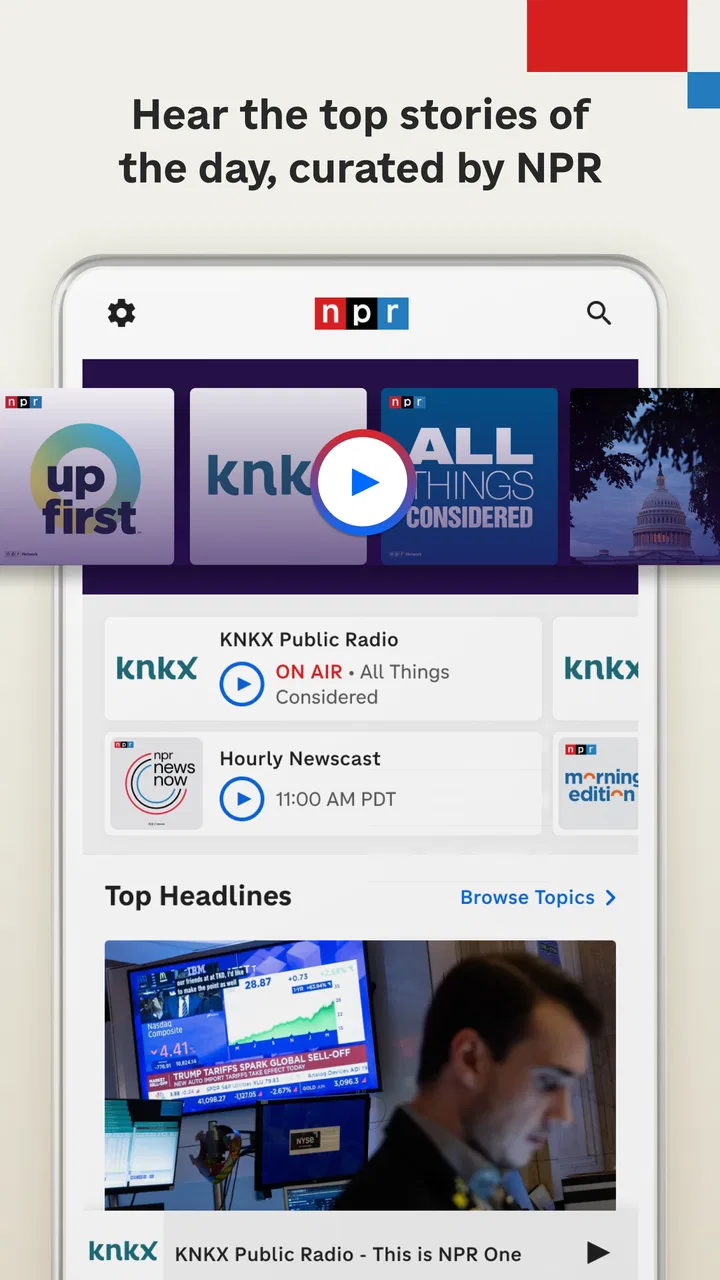
I started using NPR: National & Local News as a practical way to keep news, radio, and podcasts in one place rather than jumping between separate apps. It is a free news and magazines app from NPR, and my first impression was that it feels designed for listening as much as reading. That matters in a household, because one person can follow a morning news program while someone else uses the same device later for a podcast or live radio.
The app is aimed at Everyone, so it is easy to consider for a shared phone or tablet. That rating does not mean every news story will suit every listener, of course. News can include difficult subjects, upsetting events, and strong opinions depending on the program. My overall view is positive: this is a particularly good choice for households that want a calm, audio-friendly news routine, but it is less suitable if every family member expects a completely separate, highly personalized news environment.
How NPR works on a shared household device
A realistic example is a family tablet in the kitchen. In the morning, I can use live radio while preparing breakfast, then switch to a news story when I have a few minutes to read. Later, another person can open the app for a favorite podcast without needing a different service for each format. That combination is the app’s strongest household advantage: it supports different listening habits without making the device feel cluttered with several news products.
You May Also Like

 Pandora - Music & Podcasts
Pandora’s Music Is Easy to Start, but Harder to Recover
Pandora’s strength is its low-effort path from a seed to a station. Its weak spot is how much confidence it asks you to place in connection, setup, and quiet recovery.

 8 Ball Pool
 Is Built on Rivalries, Rematches, and Routine
A close look at the rivalries, rematches, shared routines, and unanswered safety questions that turn a quick pool match into a persistent mobile community.

 Samsung Music
’s Quiet Strength Is Playing What You Already Own
Its reach comes less from spectacle than from dependable access to a personal library. That simplicity is both the app’s strongest retention engine and its ceiling.

 AccuWeather: Weather Radar
AccuWeather Review: A Quick, Clear Forecast for Everyday Decisions
For everyday plans, the best forecast is the one you can understand quickly. AccuWeather makes rain timing, radar, and local conditions easy to act on, with a few trade-offs.

 Hill Climb Racing
Why Hill Climb Racing Still Turns Crashes Into One More Run
A tiny car, a bumpy hill and one more upgrade: Hill Climb Racing keeps resurfacing because its simple chaos makes every near-miss feel personal.

 AliExpress - Shopping App
AliExpress Makes Global Shopping Feel Personal, but Shoppers Bear the Risk
AliExpress turns a global marketplace into a pocket-sized discovery engine. Its reach is useful, its shopping loop compelling, and its trade-offs easy to miss.
More From Our News Desk
View All News


It also works well for a shared living room or car routine when people agree on what to play. Live radio is useful when nobody wants to choose individual episodes, while podcasts are better when one person wants control over the subject and timing. News articles fill the gap when listening is inconvenient, such as during a quiet work break or when other people are sleeping.
I would not treat the app as a universal family dashboard. A shared device means the next person may encounter the previous listener’s place in the app, recently selected program, or unfinished story. Even without inventing special household functions, the practical boundary is clear: this is a shared media tool, not a replacement for separate personal profiles. If everyone wants an independent queue and a private history, separate accounts or devices may be more comfortable.
That distinction is important because the app combines several kinds of content. A child, teenager, or adult may all be able to open it, but they will not necessarily want the same editorial mix. I found it more useful to agree on listening habits than to assume the application itself will organize the household for me.
Setting up a sensible routine without mixing everyone’s preferences
The easiest approach is to decide who uses the app for what. One person might use live radio during breakfast, another might listen to podcasts while commuting, and someone else might open written news in the evening. This simple division reduces the chance that one user’s choices will dominate the next session.
I also recommend checking the current screen before handing over the device. On a shared tablet, leaving a program paused or an article open can create confusion, especially when another person expects a quick news update. Closing the app is not essential every time, but it is a small habit that keeps the experience predictable.
For a household that shares one phone, headphones are more important than they may seem. Live radio and spoken-word programs are not ideal when another person is watching television or working nearby. The app is flexible enough to move between listening and reading, but the device itself still creates the main limitation. A family should decide whether the goal is communal listening or individual use before choosing the format.
Another useful boundary is time. News can easily expand from a short check into a long listening session, particularly when moving from a live broadcast to podcasts. I found it helpful to choose the intended activity first: a brief article, a live program, or a specific podcast. That prevents the app’s variety from turning a quick update into an unplanned hour of browsing.
For younger users, I would introduce the app alongside an adult rather than handing over a device without context. The Everyone rating makes it broadly accessible, but news literacy still matters. A child may need help understanding the difference between a reported event, analysis, and a program chosen for discussion. That is not a flaw unique to this app; it is simply part of using a serious news source in a family setting.
Coordinating live radio, podcasts, and written news
The three formats serve different household needs. Live radio is the least personal because it follows a schedule rather than waiting for one listener’s choice. That makes it good for a shared morning routine, but less convenient when someone wants to pause frequently or skip a topic. Podcasts offer more control, although they can make the device feel more personal and less communal. Written news is the quietest option and usually the easiest to use around other people.
My preferred workflow is to use live radio for orientation, then move to a podcast or article when a particular subject deserves more attention. This avoids treating every headline as something that must be followed immediately. It also makes the app more useful than a simple stream of notifications, because I can choose between background listening and focused reading.
One non-obvious benefit is that the formats can compensate for each other’s weaknesses. If a live program is inconvenient at a busy moment, I can use on-demand audio or read instead. If reading feels tiring, spoken content keeps the news accessible while doing routine tasks. That flexibility is more valuable in a household than having a large number of isolated features that nobody uses consistently.
There is a trade-off, though. A person who wants a tightly filtered feed from many publishers may find NPR’s identity more focused than a general news aggregator. An aggregator can collect numerous perspectives in one scrolling stream, while this app feels better suited to people who specifically want NPR’s reporting and programming. I prefer the latter for a calmer routine, but I would use another service alongside it when comparing coverage across a wide range of outlets.
Compared with a dedicated podcast app, NPR’s advantage is the direct connection between podcasts, live radio, and news coverage. A podcast specialist may offer more powerful discovery, queue management, or cross-network organization. Compared with a newspaper app, NPR is more comfortable for listeners who want audio as a central part of the experience. Compared with a social news feed, it feels less dependent on rapid scrolling and trending reactions, which I consider a benefit when I want to understand rather than simply react.
Age, trust, and conversations around difficult stories
The Everyone age rating makes the app approachable for a broad audience, but families should still pay attention to context. News is not entertainment with a predictable tone. Coverage may involve disasters, conflict, crime, politics, health, or other subjects that require explanation. I would be comfortable recommending the app to an adult household, but I would guide younger listeners toward shared use at first.
That shared use can be constructive. Listening to a report together gives adults a chance to explain unfamiliar terms, separate fact from speculation, and discuss why a story matters locally or nationally. The app’s combination of national and local news makes those conversations more grounded than a completely abstract world-news feed. It can help a family connect a broad issue with the community around them.
Trust is also a personal question. NPR’s reputation and editorial style will appeal to people who prefer carefully presented reporting and public-radio programming. However, no single news app should be the only source for every important decision. I would encourage users to compare major claims with additional reputable sources, especially when a story affects health, safety, finances, or civic choices.
For teenagers, the app can be a useful step toward independent news habits because it supports both listening and reading. I would still suggest discussing how to recognize commentary, how headlines frame attention, and why a single report may not answer every question. The application can provide material for that learning, but it cannot replace an adult’s judgment about what is appropriate at a particular moment.
Privacy expectations also deserve a practical conversation on a shared device. I would avoid assuming that every family member wants the same recommendations or listening trail visible to others. If the device is communal, users should agree on whether they are comfortable sharing it as a general media space. People who need strict separation should use their own devices or accounts rather than expecting a household tablet to provide personal boundaries automatically.
What I liked after regular use
The biggest strength is the way the app supports different levels of attention. I can listen while doing something else, read when I need silence, or use live radio when I want the day’s coverage to come to me. That is more useful than a service that only works well in one mode.
I also liked the sense of editorial purpose. The experience does not feel built solely around endless viral browsing. For me, that makes it easier to create a repeatable routine: check the news, choose a program, and stop when I have enough information. The app can still lead me into more content, but it does not require the frantic pace I associate with some social feeds.
Its scale is reflected in its audience: the app has an average rating of 4.8 from around 36 thousand ratings and has passed 5 million installs. Those figures do not decide whether it fits a particular family, but they do suggest that the service has found a substantial audience among people who want NPR content in a mobile format. NPR is also a recognizable developer, which makes the app’s editorial focus easy to understand before installing it.
The fact that it is free removes the main barrier for households that want to try it without adding another subscription. That makes experimentation easy: one person can test live radio, another can explore podcasts, and the family can decide whether the app earns a regular place on the shared device.
The limitations are mostly about expectations. This is not the best choice for someone who wants every major publisher, a fully neutral collection of viewpoints, or advanced personal organization associated with a dedicated audio platform. It may also be less satisfying for users who only want quick headlines and do not care about radio or podcasts. The app’s breadth is a strength for listeners, but unnecessary complexity for someone seeking a minimal news ticker.
Who should use it and who should look elsewhere
I would recommend it to adults who want reliable-feeling public-radio-style news in an accessible combination of formats. It is especially suitable for a household that shares a tablet, listens during routines, or wants to move between local coverage, broader reporting, and podcasts without installing several separate apps.
It is also a good fit for people who learn better through audio. A news app that only presents text can become difficult to maintain during commuting, cooking, or household chores. NPR’s listening options make it easier to stay informed when reading is not practical, while the written side remains useful when audio would disturb other people.
I would suggest looking elsewhere, or using another service alongside it, if your priority is a massive multi-source news dashboard, aggressive personalization, or deep podcast-library management. Someone who wants a completely private and separate experience on a shared device may also be happier with a dedicated personal setup. The app is strongest when its NPR-centered identity is a feature rather than a limitation.
For a family, I would describe it as a shared window into news rather than a family-control product. It can support coordination, but the coordination comes from household habits: deciding what to play, respecting different sensitivities, and remembering that one device may serve several people. That honest framing prevents disappointment and makes the app easier to use well.
My household verdict
After using it as a combined news and listening app, I see NPR: National & Local News as a thoughtful choice for households that value flexible access over complicated personalization. Its free price, Everyone rating, and mix of live radio, podcasts, and written reporting make it easy to introduce into a shared routine. The strongest use case is not simply opening it once for headlines; it is building a small daily pattern around the formats that suit each person.
I would keep expectations realistic about shared-device boundaries and editorial scope. The app will not solve every problem created by multiple users, and it should not be the only source for important information. Still, for a family that wants a calmer alternative to social feeds and a more versatile option than a single newspaper or podcast app, NPR: National & Local News is an easy recommendation.
My final advice is to try it with a clear purpose: use live radio for shared moments, podcasts for individual listening, and articles for quiet checks. If that rhythm matches your household, the app becomes much more useful than its short description suggests. If you need strict personal separation or an all-publisher news aggregator, choose a different tool. For everyone else, the best reason to install it is its practical balance between listening, reading, and everyday household use.
FAQs for NPR: National & Local News
01What is NPR: National & Local News app used for?
NPR: National & Local News app provides users with access to a wide array of news content, including national and local stories, podcasts, and live radio streaming. It is designed to keep users informed with reliable and up-to-date news coverage from NPR and its member stations.
02Does the NPR app offer offline access to news articles?
Yes, the NPR app allows users to save articles and podcasts for offline reading and listening. This feature is particularly useful for those who have limited internet access or wish to catch up on news during commutes without using mobile data.
03Is there a cost to use the NPR: National & Local News app?
The NPR app is free to download and use. However, it may offer in-app purchases or request donations to support NPR’s mission of providing high-quality journalism. Users can enjoy most features without any cost, but supporting NPR helps sustain its operations.
04Can I customize the news feed in the NPR app?
Yes, users can customize their news feed in the NPR app by selecting topics of interest. This personalization ensures that users receive content tailored to their preferences, whether it’s politics, technology, culture, or other categories, enhancing their overall news experience.
05What platforms is the NPR: National & Local News app available on?
The NPR app is available for both Android and iOS devices. Users can download it from the Google Play Store or Apple App Store, ensuring accessibility across a wide range of smartphones and tablets. It provides a seamless user experience on both operating systems.
Pros
- Access to reliable news sources.
- User-friendly interface with easy navigation.
- Customizable notifications for breaking news.
- Offline reading mode available.
- Diverse content including podcasts.
Cons
- Occasional ads can be intrusive.
- Requires stable internet for streaming.
- Limited international news coverage.
- Some features need account sign-in.
- App size may be large for older devices.

NPR: National & Local News
Gallery